
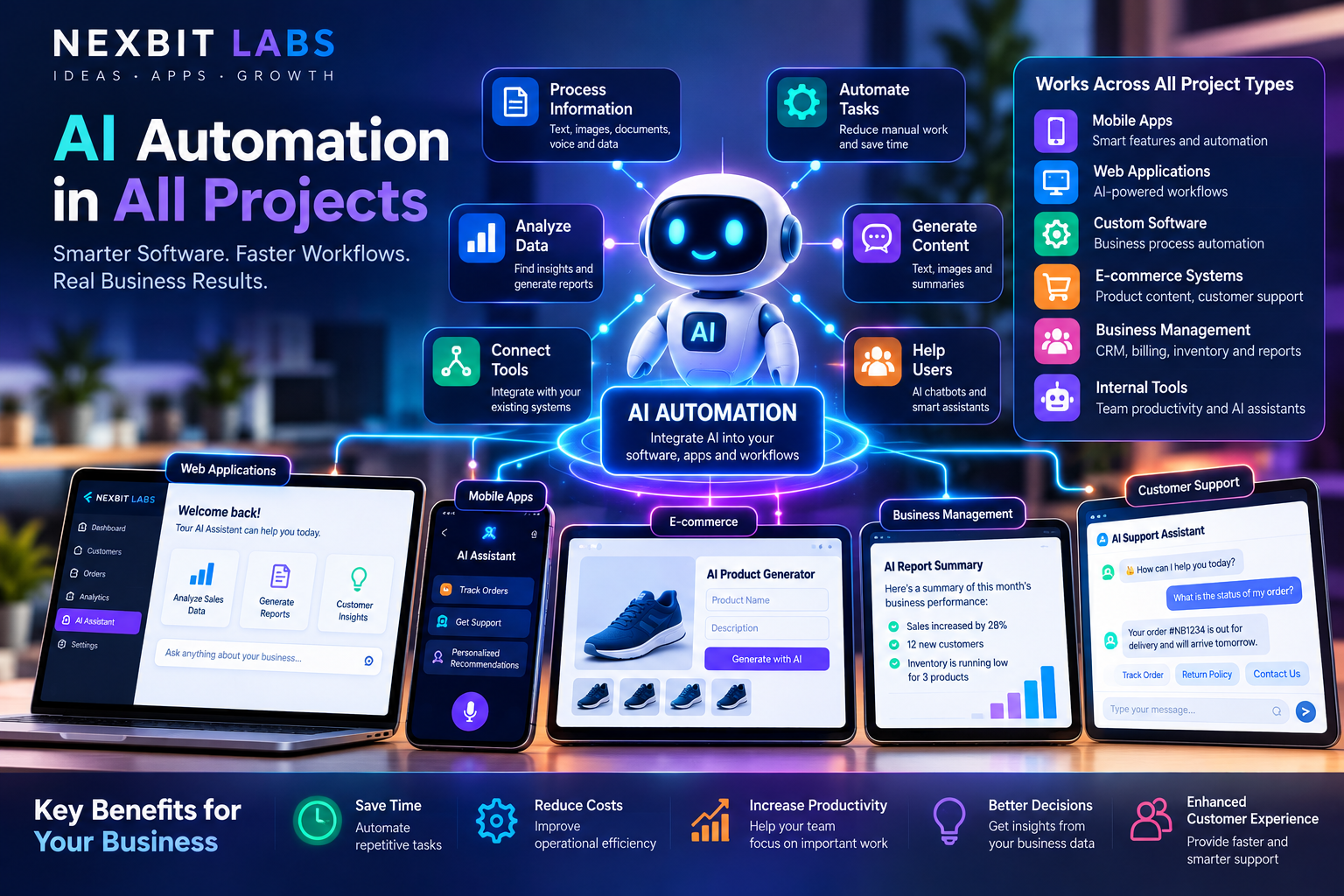
Imagine running a business where customer enquiries are organized automatically, appointments are confirmed without constant manual follow-up, reports are easier to understand, and employees spend less time repeating routine tasks.
Imagine a website that helps visitors find relevant services, a mobile app that provides intelligent assistance, or a business management system that identifies important information from thousands of records.
These are examples of how artificial intelligence (AI) and business automation can work together.
In 2026, AI is no longer limited to experimental chatbots or standalone applications. It can be integrated into existing websites, mobile applications, e-commerce platforms, customer relationship management (CRM) systems, administrative dashboards and custom business software.
However, successful AI automation requires much more than simply connecting an AI model to a website.
Businesses must understand how AI works, which tasks can be automated, where traditional software remains essential, and how to protect sensitive information.
In this guide, we explain how AI automation works across different types of software projects, practical applications for businesses, the technologies involved, development costs, security considerations and how to get started.
1. What Is AI Automation?
AI automation combines artificial intelligence technologies with software systems and automated workflows to help perform tasks, process information and support business operations.
Traditional automation generally follows predefined rules.
For example:
When a customer submits a contact form, save the enquiry and notify the sales team.
This process does not necessarily require AI. Ordinary software can perform it reliably.
AI adds different capabilities.
For example:
Read a customer's enquiry, identify the likely service they need, summarize their requirements and prepare a suggested response for the sales team.
This involves understanding natural language rather than simply following a fixed condition.
When AI and traditional automation are combined carefully, businesses can create systems that are both flexible and dependable.
What Can AI Automation Help With?
Depending on the business and available data, AI-assisted software can support:
Understanding and categorizing customer enquiries.
Generating drafts of emails and other communications.
Summarizing business reports and documents.
Searching company knowledge bases.
Extracting information from uploaded documents.
Assisting customers through conversational interfaces.
Recommending next steps based on authorized business information.
Supporting repetitive administrative workflows.
Organizing support tickets and internal requests.
Explaining business data in natural language.
The objective is not to replace every employee or automate every decision. It is to reduce unnecessary manual work while keeping business operations accurate, secure and manageable.
2. AI Automation vs Traditional Business Automation
One of the biggest misconceptions about AI automation is that every automated process requires artificial intelligence.
That is not true.
Traditional automation remains essential because many business operations depend on exact rules and predictable outcomes.
Consider three examples.
Example 1: Sending an Invoice
When an invoice is approved, the software generates a PDF and sends it through an authorized communication channel.
This is primarily traditional workflow automation.
Example 2: Understanding an Unstructured Customer Message
A customer writes:
"I need an application for managing my staff attendance, salary records and leave approvals."
AI can help identify the likely requirements and prepare an organized summary for review.
This is an AI-assisted task.
Example 3: Preparing a Monthly Sales Report
The database calculates sales totals using verified transaction records.
AI then helps explain those figures in plain language.
This is a combination of traditional software and AI.
The most effective business systems use rule-based software for critical operations and AI where language understanding, information extraction or intelligent assistance adds genuine value.
3. How AI Can Be Integrated Into Business Websites
A website is often the first point of contact between a company and a potential customer.
Traditional websites display company information, services, products and contact details.
AI integration can extend these capabilities.
AI-Powered Website Assistants
An AI assistant can help visitors navigate a website and find relevant information.
For example, a software development company might receive this question:
"Can you build a billing application that works on my computer and mobile?"
An AI assistant connected to the company's approved service information could explain the available development options and help organize the visitor's requirements.
The assistant should avoid making unsupported promises about pricing, deadlines or features.
Intelligent Customer Enquiry Collection
Instead of presenting a long and complicated contact form, a website can guide visitors through relevant questions.
For example:
What type of business do you operate?
What problem should the software solve?
Who will use the system?
Do you need a website, mobile app or both?
Are payments, bookings or reporting required?
The system can organize the answers into a structured project enquiry.
This helps the development team understand the customer's needs before preparing a proposal.
AI-Assisted Website Search
Large websites may contain many services, products, help articles and documents.
AI-powered search can help visitors find relevant information using conversational questions rather than relying entirely on exact keywords.
Automated Support Requests
A customer support assistant can collect relevant details, identify the type of issue and create a support ticket.
Where appropriate, the request can then be routed to a human support team.
Benefits for Businesses
Potential advantages include easier access to information, more organized enquiries, reduced repetitive questions and improved support workflows.
However, AI responses should be grounded in approved content and monitored for accuracy.
4. AI Automation in Mobile Applications
Modern Android and iOS applications can benefit from AI integration in several ways.
An AI-enabled mobile app might help users understand information, search records, complete tasks or receive personalized guidance.
AI Assistants Inside Mobile Apps
A mobile app can include an AI assistant that answers questions about available features or guides users through supported tasks.
For example, a business management app might allow an authorized employee to ask:
"Show me the status of my assigned projects."
The backend retrieves the employee's permitted project information and returns the relevant results.
AI can then help present the information conversationally.
Intelligent Notifications
Traditional software can trigger notifications based on events.
AI can additionally help prepare or prioritize notification content based on the available information and approved rules.
The application must still respect notification permissions and user preferences.
Voice and Language Features
With suitable technologies, an application can support voice input, speech transcription and natural-language interaction.
These capabilities may make certain workflows more accessible and convenient.
AI-Assisted Document Understanding
A mobile app may allow users to upload approved documents for information extraction or summarization.
For example, a business employee could upload a supplier quotation and receive a draft summary for verification.
Personalized Experiences
AI can assist with recommendations based on relevant user preferences and authorized application data.
However, personalization should respect privacy expectations and avoid unnecessary collection of sensitive information.
How the Technology Connects
The mobile application communicates with a secure backend API.
The backend checks permissions, retrieves authorized information and sends appropriate requests to an AI service or model.
The resulting output is validated or presented for review before it is used.
The mobile application provides the user experience, while the backend remains responsible for security, permissions and important business operations.
5. AI Automation in CRM and Sales Management
A Customer Relationship Management system helps businesses manage leads, customers and sales activities.
AI can add useful assistance to these existing workflows.
Automatic Lead Classification
A business may receive enquiries through its website, contact forms and other channels.
AI can help classify enquiries into categories such as website development, mobile applications, software development or general support.
The classification can be reviewed and used to route enquiries to appropriate staff.
Customer Enquiry Summaries
A sales representative may need to review a long conversation before responding.
An AI assistant can summarize the key requirements, outstanding questions and previously discussed information.
Drafting Follow-Up Messages
AI can help employees prepare professional follow-up emails based on approved customer records.
Employees should review communications before sending them when customer commitments or pricing are involved.
Sales Reporting Assistance
Managers may ask:
"Which service categories generated the most enquiries this month?"
The software calculates results from verified CRM records, while AI can provide a readable explanation.
Opportunity Tracking
AI may help highlight customer records that appear to require follow-up, based on configured criteria and appropriate data.
However, sales predictions are probabilistic and should not be treated as guaranteed outcomes.
AI-enabled CRM software should support sales teams with better information, not make important customer decisions without appropriate oversight.
6. AI Automation in E-Commerce Platforms
Online stores manage products, orders, customer questions, inventory and payments.
AI can support several areas of the customer experience and business workflow.
Product Information Assistance
AI can help draft product descriptions, organize product attributes and prepare content for review.
Accurate prices, stock levels and technical specifications should still come from trusted product records.
Customer Shopping Assistance
An AI assistant can help customers search for relevant products based on their stated requirements.
For example:
"I need a laptop suitable for office work and video meetings."
The assistant can help filter the product catalogue using available specifications.
Order Status Enquiries
A customer may ask:
"Where is my order?"
The system should retrieve the actual order status from the backend rather than allowing AI to invent delivery information.
Customer Support
AI can help answer common questions about shipping policies, returns and product information.
Requests requiring refunds, exceptions or sensitive account actions should follow approved business rules.
Inventory Insights
AI-assisted reporting may help managers understand stock trends or identify products that deserve closer attention.
Inventory quantities and stock movements must remain controlled by reliable database transactions.
Marketing Content
AI can assist with descriptions, promotional copy and content planning.
Businesses should review generated material for accuracy, compliance and brand consistency.
In an e-commerce platform, AI is most useful when connected to reliable product, order and customer information.
7. AI Automation in Custom Business Software
Custom software is developed around the specific requirements of an organization.
It may handle customer records, employee tasks, billing, inventory, projects or other operational processes.
AI can be integrated into selected parts of these systems.
Business Dashboards
Traditional dashboards display charts, tables and statistics.
An AI-enabled dashboard can also provide explanations of the underlying data.
For example:
"Summarize the biggest changes in expenses this month."
The system can retrieve verified expense data and provide an understandable summary.
Employee Workflow Assistance
An internal assistant can help employees locate relevant procedures, prepare reports or navigate supported business processes.
Document Processing
Businesses frequently handle quotations, invoices, purchase orders, applications and other records.
AI-assisted processing can identify relevant information and prepare it for validation.
However, extracted values should be checked before they become authoritative financial or operational records.
Approval Workflows
AI may assist by summarizing requests or identifying missing information.
Final approval authority should remain controlled by established permissions and business rules.
Internal Knowledge Assistants
Organizations often maintain policy documents, technical guides and procedural information.
AI-powered search can help authorized employees locate relevant knowledge without manually searching many separate files.
Reporting and Analytics
AI can assist with explaining existing reports, identifying patterns and answering questions about authorized business data.
The underlying calculations should remain reproducible and verifiable.
8. A Real-World Example: AI Automation for a Growing Business
Consider a service company that receives customer enquiries, prepares quotations, manages projects and sends invoices.
The company has several employees and operates through email, messaging applications and spreadsheets.
A connected business software platform could organize these activities.
Stage 1: Customer Enquiry
A customer submits a request through the company website.
The system records the enquiry and sends an acknowledgement.
Stage 2: AI Requirement Assistance
An AI component reviews the customer's description and prepares a draft summary of the requested service.
Stage 3: Sales Team Review
The responsible employee checks the summary, clarifies missing information and prepares the quotation.
Stage 4: Quotation Approval
The quotation follows the organization's established pricing and approval rules.
AI does not independently invent or approve commercial terms.
Stage 5: Project Creation
After the required confirmation, the system creates a project and assigns tasks to authorized employees.
Stage 6: Progress Updates
Workflow automation sends notifications when project milestones are completed.
Stage 7: Billing
The accounts team prepares an invoice using verified project and financial information.
Stage 8: AI Reporting
Management asks:
"Summarize the progress of all active projects and highlight delayed tasks."
The AI assistant retrieves authorized project data and prepares a summary.
The Business Benefit
Information remains connected across the customer, sales, project and billing workflows.
Employees spend less time copying details between separate systems.
Management gains better visibility, while AI helps interpret information and prepare routine content.
This is what practical AI automation looks like: software, workflows, data and AI working together to support everyday business activities.
9. How AI Automation Systems Work Technically
AI automation may appear simple to the user, but several technical components work together.
Frontend Interface
The frontend allows users to interact with the system.
This might be a website, mobile application, employee dashboard or administrative panel.
Backend Application
The backend manages user authentication, permissions, business logic and communication between connected systems.
Database
The database stores business records, workflow states and application information.
Technologies such as MySQL and PostgreSQL are commonly used for structured business information.
AI Model or Service
An AI model processes supported requests such as summarization, classification or natural-language interaction.
Depending on the project's requirements, this may involve an external AI API or a suitable self-hosted model.
Integration Layer
APIs and integration services connect the software with approved external platforms.
Examples include payment providers, email systems, messaging services and existing business applications.
Automation Engine
An automation engine executes defined workflows when particular events or conditions occur.
For example, it might create a reminder after an enquiry is assigned.
Security and Validation
The system verifies permissions, limits data access and checks important results before performing consequential actions.
Monitoring and Logging
Monitoring tools help administrators understand errors, service usage, processing failures and operational costs.
A useful AI automation system depends on all these components working together reliably.
10. What Is an AI Agent?
An AI agent is a software system that uses AI to help work toward a defined objective, sometimes by selecting actions or interacting with permitted tools.
For example, an internal project assistant might be allowed to:
Retrieve assigned project information.
Search approved project documents.
Prepare a status summary.
Draft an update message.
Suggest tasks requiring attention.
A more advanced implementation may coordinate several permitted operations.
However, an agent should not automatically receive unrestricted access to company records or administrative actions.
Why Permissions Matter
An AI assistant helping a sales employee should not automatically be allowed to view confidential payroll information.
Similarly, an AI assistant that drafts a payment request should not be able to authorize a transaction unless the entire workflow explicitly permits it and implements suitable controls.
Useful AI agents require carefully defined capabilities, server-enforced permissions, validation and human approval for sensitive actions.
More autonomous does not necessarily mean more useful. A controlled assistant is often more dependable than an unrestricted one.
11. What Is RAG, and Why Is It Useful?
Retrieval-Augmented Generation, commonly called RAG, is an approach that helps AI generate responses using information retrieved from relevant sources.
For example, a business might maintain:
Service descriptions.
Frequently asked questions.
Support documents.
Product manuals.
Internal policies.
Technical documentation.
Instead of expecting an AI model to know all this information, the application retrieves relevant approved material and provides it as context for the response.
Example: Company Knowledge Assistant
An employee asks:
"What is our process for approving a customer refund?"
The system searches the relevant policy documents that the employee is authorized to access.
It then presents a response based on those documents.
Where practical, the application can provide references to the original information.
Benefits of This Approach
RAG can help make responses more relevant to the organization's actual information.
It also allows the knowledge base to be updated without retraining the entire model for every document change.
However, retrieval does not guarantee accuracy. The system still needs permission checks, suitable source selection and safeguards against misleading or outdated material.
12. Can AI Automation Run on Your Own Server?
Businesses sometimes want to use AI without sending every request to an external service.
Certain AI models can run on privately managed infrastructure, depending on model size and hardware capabilities.
Self-Hosted AI
A self-hosted implementation may provide greater operational control over model deployment and selected data flows.
However, the organization must manage hardware resources, updates, security and performance.
Cloud AI APIs
Cloud AI services can provide access to capable models without maintaining the model infrastructure directly.
They commonly involve usage-based charges or other service pricing.
Hybrid Architecture
Some businesses may benefit from combining the two approaches.
For example, traditional business logic and databases may run on an organization's server, while selected AI tasks use an external service with carefully controlled data access.
Important Cost Considerations
Businesses should evaluate:
Expected number of AI requests.
Average input and output sizes.
Model and API pricing.
Server CPU, memory and GPU requirements.
Simultaneous user demand.
Response speed.
Monitoring and maintenance.
Security and privacy obligations.
Self-hosted AI is not automatically free, and cloud-based AI is not automatically expensive. The right decision depends on the workload and total operating cost.
13. How to Control AI Automation Costs
AI integrations can introduce ongoing costs, especially when external APIs or substantial computing resources are required.
A good system should control those costs from the beginning.
Use Traditional Software for Simple Tasks
Invoice calculations, access permissions, scheduled reminders and standard database queries do not usually require AI.
Keeping these tasks in conventional software avoids unnecessary model usage.
Use Smaller Models Where Appropriate
Different tasks have different capability requirements.
Simple classification or formatting tasks may not need the most expensive available model.
Limit Unnecessary Requests
Applications can avoid repeated processing by using suitable caching, batching and request controls.
Any caching of sensitive information should follow appropriate security and privacy rules.
Restrict Input Size
Sending large quantities of unrelated information to an AI model can increase costs and reduce relevance.
Retrieving only necessary context can make requests more efficient.
Monitor Usage
Administrators should be able to review usage, identify unusual activity and understand approximate operational costs.
Set Limits
Budgets, request limits and other safeguards can help prevent uncontrolled spending.
Evaluate Actual Results
The value of an AI feature should be assessed against the time, effort or business problems it helps address.
The goal should be sustainable functionality, not merely adding more AI requests.
14. AI Automation Security and Data Privacy
AI-powered systems may process company documents, customer details, internal reports and other sensitive information.
Security and privacy should be considered before enabling an integration.
Protect Customer Information
Only necessary data should be shared with an AI component or external service.
Enforce User Permissions
An AI assistant must not bypass the access restrictions that apply to the underlying business application.
Protect API Credentials
Private API keys and service credentials should be stored securely on the backend rather than exposed in public website or mobile application code.
Validate AI Output
AI can produce incorrect or unsupported information.
Important financial, legal, operational and account-related decisions should not rely on unverified model responses.
Limit Automated Actions
High-impact operations should require suitable authorization, validation or human approval.
Review External Providers
Businesses should understand relevant provider policies, data handling arrangements and applicable privacy obligations.
Keep Audit Records
For important workflows, logs can help administrators understand what happened and which actions were performed.
Prepare for Failures
The software should handle AI service timeouts, connection errors and unavailable models without corrupting important business records.
AI systems should be designed to fail safely, especially when connected to payments, customer records or critical business processes.
15. Step-by-Step: How AI Automation Is Developed
Professional AI automation development should begin with the business problem rather than the AI technology.
Stage 1: Understand the Business Process
Identify the repetitive work, information bottlenecks or customer experience issues that need improvement.
Stage 2: Choose the Right Automation Opportunities
Determine which tasks can use conventional rules and which may benefit from AI.
Stage 3: Define the Requirements
Specify users, permissions, data sources, expected results and operational limitations.
Stage 4: Design the User Experience
Plan how users will interact with the system through websites, mobile apps or dashboards.
Stage 5: Build the Backend Architecture
Implement APIs, data handling, business rules, authentication and integration points.
Stage 6: Connect the AI Components
Integrate suitable AI capabilities through approved models, services or privately hosted infrastructure.
Stage 7: Configure Automated Workflows
Define triggers, conditions, notifications, approvals and recovery behavior.
Stage 8: Test with Realistic Scenarios
Evaluate both normal operations and failures.
Testing should cover incorrect AI answers, missing information, unauthorized requests, timeouts and unexpected outputs.
Stage 9: Deploy and Monitor
Release the solution in a controlled environment and monitor reliability, usage and cost.
Stage 10: Improve Gradually
Review whether the automation is achieving its intended objectives.
Introduce additional capabilities only when they deliver meaningful value.
The best AI automation projects begin with one well-defined problem and expand after the initial workflow proves useful.
16. How Much Does AI Automation Development Cost in India?
AI automation development costs depend on the scope and complexity of the project.
A basic AI-assisted website enquiry workflow is different from a complete enterprise platform connected to several departments and external systems.
Important cost factors include:
Application type: AI integration in a simple website may require a different level of work from integration in a large business management system.
AI capability: Summarization, document processing, conversational search and autonomous workflows have different technical requirements.
Backend integration: Connecting AI to existing databases, APIs and business rules can add development effort.
Security: Sensitive information and restricted workflows require appropriate safeguards.
Data preparation: Existing documents and business records may need organization, cleaning or access controls before they can be used effectively.
Infrastructure: Cloud APIs, model hosting, storage and supporting services can introduce recurring expenses.
Testing: AI output quality must be evaluated using realistic business scenarios.
Maintenance: Models, integrations, workflows and supporting software require ongoing review.
Businesses should request quotations that clearly separate initial development costs from recurring infrastructure and AI usage charges.
A lower upfront price is not always the lowest total cost over time.
17. Common AI Automation Mistakes Businesses Should Avoid
Adding AI Without a Clear Purpose
AI should solve a defined problem.
A chatbot that cannot answer useful questions or connect to relevant information may add little business value.
Automating Everything Immediately
Attempting to automate an entire organization at once can introduce unnecessary risk and complexity.
Start with a manageable workflow.
Ignoring Data Quality
AI systems depend on the information they receive.
Inaccurate, outdated or poorly organized business records can lead to misleading outputs.
Trusting Every AI Response
AI-generated information should be checked when accuracy matters.
Fluent responses are not proof that the underlying information is correct.
Ignoring User Permissions
An AI assistant should have access only to information and actions authorized for its users.
Forgetting Operating Costs
Unrestricted AI requests can generate unexpected expenses.
Usage controls and monitoring should be part of the implementation.
Removing Human Review Too Early
Some actions require human judgment, including important customer commitments and sensitive financial decisions.
Neglecting Maintenance
AI models, APIs, workflows and data sources change over time.
An AI integration requires ongoing monitoring and improvement.
18. AI Automation Across Different Industries
AI automation can support many industries, but the appropriate implementation depends on each organization's requirements.
Retail and E-Commerce
Possible uses include product information assistance, customer support, order enquiries and inventory report summaries.
Professional Services
Consultants, agencies and service businesses can benefit from organized enquiries, document summaries and assisted client communication.
Education
Educational platforms may use AI-assisted content search, document organization and administrative support, subject to suitable privacy and accuracy safeguards.
Hospitality
Hotels and service providers may use automation for booking enquiries, guest communications and internal operational workflows.
Logistics
Logistics companies may benefit from document processing, customer support and operational reporting.
Manufacturing
Manufacturers may use software automation for inventory, work orders, reporting and selected AI-assisted analysis.
Healthcare Administration
Administrative workflows may benefit from carefully controlled automation, while sensitive patient information and clinical decisions require stronger safeguards and appropriate professional oversight.
Real Estate
AI-assisted systems may support property information searches, enquiry organization and communication drafts.
The common principle across these industries is that AI should be connected to useful software processes and trustworthy information.
19. How Nexbit Labs Helps Businesses Integrate AI Automation
At Nexbit Labs, we develop digital solutions around practical business requirements.
We understand that businesses may want to introduce AI without knowing how APIs, AI models, backend services or automated workflows operate.
The starting point is understanding what the business wants to accomplish.
Depending on the project, our development services can include:
AI integration for business websites.
AI assistants for Android and iOS applications.
AI-powered customer enquiry workflows.
CRM and sales process automation.
E-commerce support and product information assistance.
Business reporting and AI-assisted summaries.
Custom software and administration dashboards.
Document processing and knowledge search.
Backend API development and integrations.
Workflow automation and notifications.
AI-assisted internal business tools.
SaaS platforms with selected AI capabilities.
Secure server-side integrations.
Cloud and suitable self-hosted software architectures.
Have an AI Project Idea but Don't Know Where to Start?
You may know that your team spends too much time managing enquiries, preparing reports or moving information between systems.
But you might not know which automation technology would solve the problem.
That is where a structured requirements discussion becomes useful.
Our Nexbit AI Project Assistant can help organize your idea by asking relevant questions about the intended users, workflows and required features.
The Nexbit Labs team can then review the requirements before discussing the proposed approach, scope, timeline and quotation.
AI does not need to be added to every feature.
Our focus is to identify where the right combination of custom software, traditional automation and AI can support your business.
Explore our services at Nexbit Labs.
20. Frequently Asked Questions About AI Automation
What is AI automation in simple words?
AI automation means using artificial intelligence together with software workflows to help perform tasks such as understanding customer questions, organizing information, summarizing reports and supporting business operations.
Can AI be added to an existing website?
Often, yes.
The possibilities depend on the website's architecture, available APIs, backend capabilities and data access.
Can AI automation work inside a mobile app?
Yes. Android and iOS applications can communicate with secure backend services to provide AI-assisted features.
Does every AI system need ChatGPT?
No.
Different AI providers, models and deployment methods are available. The suitable approach depends on the business's requirements, budget, privacy needs and desired capabilities.
Is AI automation expensive?
Costs vary.
A narrowly defined AI-assisted workflow may be relatively straightforward, while a large system involving multiple integrations and significant usage can be much more complex.
Both development and recurring operating costs should be considered.
Can AI automation work without the internet?
Some AI features can run locally or on privately managed infrastructure.
However, this depends on the model, hardware and application architecture. Features that rely on cloud APIs require connectivity to those services.
Can AI automatically answer customer enquiries?
Yes, within a suitably designed system.
Responses should use approved business information, and important or uncertain requests should have an appropriate path to human assistance.
Can AI manage invoices and payments?
AI can help with invoice-related document processing, explanations and administrative workflows.
However, financial calculations, transaction verification and payment authorization should remain under reliable business rules and appropriate controls.
Can one AI assistant connect to multiple business systems?
Potentially.
A backend integration layer can provide controlled access to several approved systems.
Permissions, data compatibility and security must be considered carefully.
Will AI automation replace employees?
AI may change how certain tasks are performed and reduce some repetitive work.
However, the effects vary by organization and role. Many implementations are designed to support employees with better tools rather than replace their responsibilities entirely.
Is AI-generated information always accurate?
No.
AI models can generate incorrect or unsupported responses.
Verification and human oversight remain important for consequential uses.
Can a small business benefit from AI automation?
Yes, where there is a clearly defined need.
A small business may benefit from organizing enquiries, summarizing authorized information or automating recurring communications without building a large AI platform.
Final Thoughts: AI Automation Should Solve Real Business Problems
Artificial intelligence is becoming an increasingly important component of modern digital products.
But the real opportunity is not simply adding an AI chatbot to every website or application.
The opportunity is to build smarter, more connected and more practical business systems.
Websites can guide customers more effectively.
Mobile applications can provide intelligent assistance.
E-commerce platforms can help users find relevant products.
CRM systems can organize enquiries and support sales teams.
Business management software can reduce repetitive tasks and make reports easier to understand.
Custom platforms can combine these capabilities through carefully designed workflows and integrations.
However, successful AI automation depends on sound architecture, reliable business rules, trustworthy data, security and appropriate oversight.
The future of business software is not AI replacing every process. It is AI working alongside dependable software to make useful processes easier, faster and more manageable.
Ready to Add AI Automation to Your Business?
Do you want to automate customer enquiries, improve your existing software, add AI features to a mobile app or create a completely new AI-enabled business platform?
Nexbit Labs can help you explore the possibilities.
You do not need to understand AI models, programming languages or complex technical architecture before contacting us.
Tell us about your business, the problems you want to solve and what you would like the system to do.
Our team can review your requirements and discuss a practical approach.
Published by Nexbit Labs — AI Automation, Custom Software Development, Mobile Applications, Web Development & Business Solutions.