
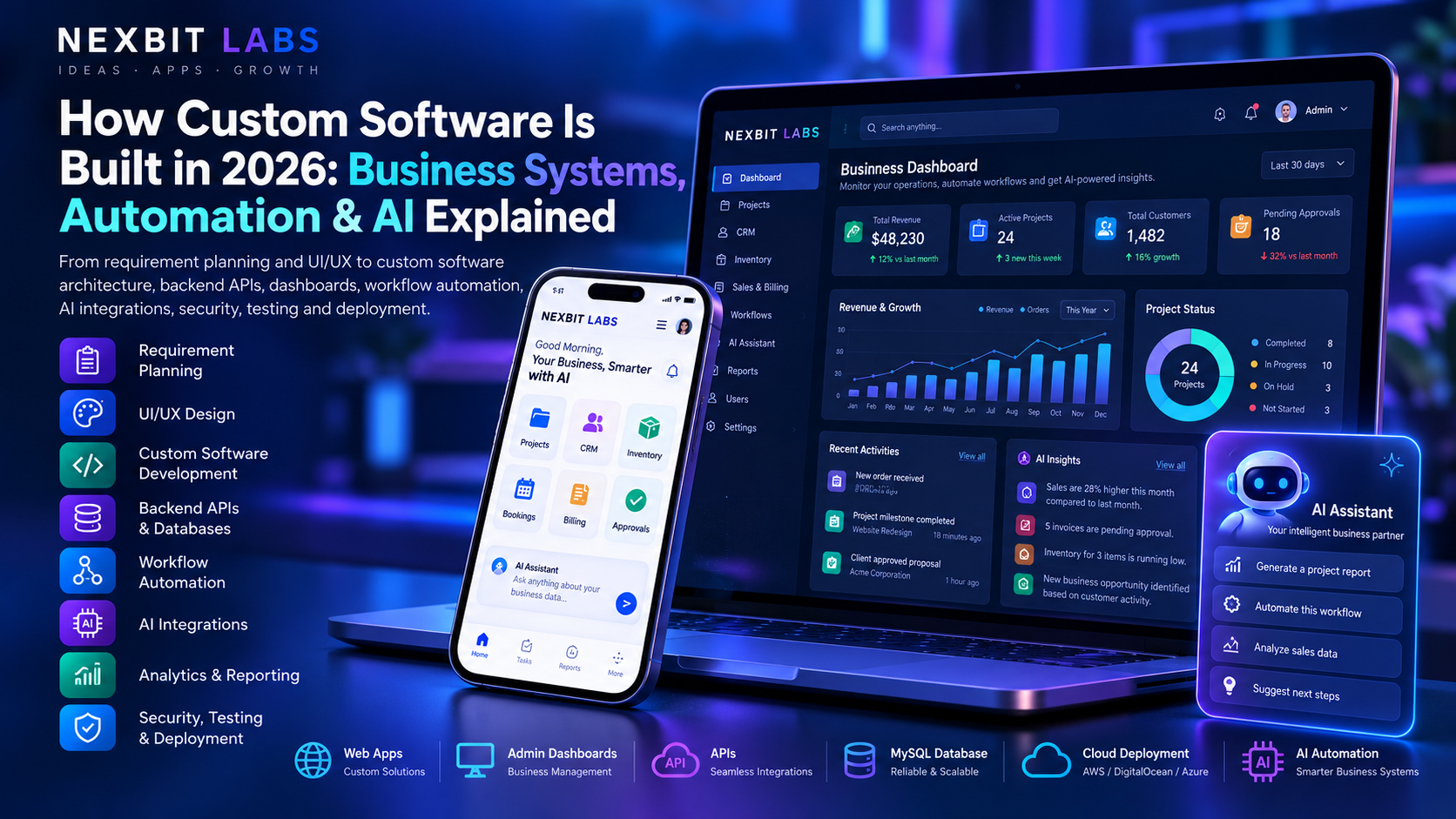
Every successful business relies on processes.
Customers place orders. Employees complete tasks. Managers approve requests. Accounts teams prepare invoices. Business owners review sales, expenses, inventory and performance.
When a business is small, many of these activities can be managed through spreadsheets, notebooks, emails and messaging applications.
But as the business grows, managing everything manually becomes increasingly difficult.
Information gets scattered across different systems. Employees repeat the same work. Managers struggle to access accurate reports, and customers sometimes wait longer than necessary for updates.
This is where custom software development, business automation and artificial intelligence (AI) can make a meaningful difference.
Modern business software can connect departments, organize information, automate repetitive processes and provide useful insights from business data.
But how is custom software actually developed? What happens behind the screens? And how can businesses use AI without introducing unnecessary complexity or expense?
In this guide, we explain the technologies, development process, practical business applications and important decisions involved in building custom software in 2026.
1. What Is Custom Software Development?
Custom software development is the process of designing and building software specifically for the requirements of an individual business, organization or group of users.
Unlike ready-made software, which is designed to serve a broad market, custom software can be developed around the way a particular business operates.
For example, consider a company that manages customer enquiries, quotations, projects, employee assignments and payments.
The company might currently use:
Excel for tracking customers.
WhatsApp for team communication.
Separate software for invoices.
Email for approvals.
Paper records for certain operational activities.
Manual reports for management.
A custom business management platform could bring these activities into one connected system.
Employees would access the features relevant to their work, while managers could view reports and oversee the company's operations.
The objective of custom software is not simply to replace spreadsheets. It is to make business processes more organized, reliable and efficient.
2. Different Types of Custom Business Software
Custom software can serve businesses across many industries.
The appropriate system depends on what the organization needs to manage.
Customer Relationship Management (CRM)
A CRM system helps businesses organize customer and sales-related information.
Features may include:
Customer and prospect records.
Sales enquiry tracking.
Follow-up reminders.
Quotation management.
Customer communication history.
Sales pipeline monitoring.
Reporting and performance dashboards.
A custom CRM can be particularly useful when a business requires workflows that are not available in a standard CRM package.
Billing and Invoice Management Software
Billing software helps businesses prepare invoices, maintain customer records and monitor payments.
Depending on the requirements, a system may include:
Product and service catalogues.
Invoice and quotation generation.
Applicable tax calculations.
PDF invoices.
Payment status tracking.
Customer statements.
WhatsApp invoice-sharing workflows.
Sales and outstanding-payment reports.
Tax calculations, invoice formats and compliance requirements should be configured according to the business's applicable rules.
Inventory Management Software
Inventory software helps organizations monitor products and stock movements.
It can track purchases, sales, stock availability, suppliers and warehouse records.
More advanced systems may support multiple locations, barcode scanning, reorder alerts and inventory reporting.
Human Resource Management Software
HR systems can support employee records, attendance, leave requests, approvals, scheduling and other administrative processes.
Sensitive employee information requires appropriate access controls and privacy protections.
Booking and Appointment Systems
Businesses offering appointment-based services can benefit from software that manages customer bookings, availability, confirmations and cancellations.
Project and Workflow Management
These systems help businesses assign work, monitor deadlines, document approvals and review project progress.
School and Institution Management
Educational organizations may need software for student records, attendance, fees, academic processes, communication and administration.
Custom Enterprise Applications
Larger or more specialized businesses may require systems connecting multiple departments, databases, external platforms and management dashboards.
The most valuable software is often the software that solves a specific operational problem exceptionally well.
3. Why Do Businesses Choose Custom Software?
Ready-made software can be an excellent starting point for many businesses.
However, organizations sometimes face challenges when their requirements are more specialized.
Software Designed Around Actual Workflows
A custom platform can reflect existing approval processes, customer journeys and operational responsibilities.
Rather than forcing employees to adapt to unrelated features, the software can support the tasks they actually perform.
Integration Between Departments
Sales, inventory, accounts and management teams may need to work with connected information.
A custom platform can reduce unnecessary duplication by allowing authorized departments to use a shared source of data.
Control Over Features
Businesses can prioritize essential features rather than paying for a large collection of unnecessary functions.
Additional capabilities can be evaluated as requirements change.
Automation Opportunities
Repetitive administrative tasks can be automated when the underlying rules and data are sufficiently reliable.
Long-Term Flexibility
Custom software can be designed with future integrations and expansion in mind.
However, flexibility depends on good architecture, documentation and maintenance. Custom development does not automatically guarantee unlimited scalability.
4. How Custom Software Works Behind the Scenes
A professional business software platform commonly consists of several connected components.
Understanding them helps business owners appreciate how the complete system operates.
Frontend: What the User Sees
The frontend is the visual interface through which people interact with the software.
It may include:
Login screens.
Business dashboards.
Customer forms.
Tables and reports.
Navigation menus.
Administrative controls.
Mobile-friendly interfaces.
Technologies such as HTML, CSS, JavaScript, React and Vue may be used to create web-based frontend applications.
The choice depends on the project's technical requirements.
Backend: Where Business Logic Runs
The backend processes requests, applies business rules, controls access and communicates with databases and other services.
For example, an employee might click Approve Purchase Request.
The backend should verify whether that employee has permission to approve the request, check the relevant rules, update the record and preserve any required audit information.
Backend development can use technologies such as PHP with Laravel, Python, Node.js and other established platforms.
Database: Where Information Is Stored
A database stores organized business information.
This can include customer details, invoices, bookings, inventory records, employee information and transaction histories.
Relational database technologies such as MySQL and PostgreSQL are commonly used for business applications.
APIs: Connecting Different Systems
An Application Programming Interface, or API, allows software components to exchange information through defined interfaces.
For example, an online store may communicate with a payment provider, shipping service or internal inventory system using APIs.
Admin Dashboard: Managing Operations
An admin dashboard gives authorized staff access to management functions.
This might include reviewing customer enquiries, creating reports, updating products, managing users or monitoring business activity.
Together, the frontend, backend, database, APIs and admin dashboard form the foundation of many modern business software systems.
5. Understanding Business Workflow Automation
Automation is one of the most practical benefits of modern software development.
It means allowing a system to perform certain actions automatically when predefined conditions are met.
Imagine a company receiving a new customer enquiry.
Without automation, an employee might manually enter the enquiry into a spreadsheet, send a confirmation, inform the sales team and create a reminder.
With a properly designed system, the process can become more organized.
Example: Automated Customer Enquiry Workflow
Step 1: A customer submits an enquiry through the company website.
Step 2: The system validates the information and creates a customer enquiry record.
Step 3: The enquiry is assigned to the appropriate department based on configured rules.
Step 4: An acknowledgement is sent through an approved communication channel.
Step 5: The responsible employee receives a notification.
Step 6: The system schedules a follow-up reminder.
Step 7: Management can view enquiry status through a dashboard.
Step 8: Reports can summarize enquiry volumes, response times and outcomes.
These processes can reduce repeated manual work and make responsibilities easier to track.
Automation does not always require artificial intelligence.
In fact, straightforward business rules are often the most reliable and cost-effective solution for predictable tasks.
6. Where Artificial Intelligence Fits Into Business Software
Artificial intelligence is changing what certain software applications can help users accomplish.
Traditional software is particularly effective when it follows well-defined rules.
AI technologies can also assist with tasks involving natural language, pattern recognition, summarization and interpretation of less-structured information.
For example, traditional software may calculate an invoice total using predefined rules.
An AI-enabled system might help draft a customer explanation of that invoice or summarize related support enquiries.
Both capabilities can be useful, but they serve different purposes.
AI should complement dependable business software rather than replace essential validation, calculations and security controls.
AI-Powered Customer Assistance
AI assistants can help users find answers to common questions, navigate services and prepare support requests.
When connected to an approved knowledge base, they may provide guidance based on the business's available information.
For important matters, the system should offer a clear path to human assistance.
AI-Assisted Report Summaries
A management dashboard may contain hundreds of records.
AI can help summarize selected information in plain language.
For example, a manager might ask:
"Summarize this month's sales activity and highlight unusual changes."
The system could retrieve authorized reporting data and generate a readable summary.
The underlying figures should still come from verified business records.
Document Processing
Businesses regularly handle invoices, forms, applications and other documents.
AI-assisted document processing can help identify relevant information and prepare it for review.
However, extracted information should be validated before it affects accounting, customer records or other important transactions.
Intelligent Search
Employees may need to search across product documents, policies, project records or internal knowledge bases.
An AI-assisted search system can help retrieve relevant information and summarize the results.
Access permissions must still be enforced so users cannot retrieve documents they are not authorized to view.
Content and Communication Assistance
AI can support drafting tasks such as:
Customer email responses.
Product descriptions.
Meeting summaries.
Internal announcements.
Frequently asked question responses.
Business report explanations.
Generated content should be reviewed where accuracy, brand requirements or customer commitments matter.
Workflow Recommendations
AI can help identify possible next actions from business information.
For example, it might suggest investigating recurring customer complaints or reviewing inventory items with unusual sales patterns.
The business should decide which recommendations require human approval.
7. A Practical Example: Combining Custom Software, Automation and AI
Consider a growing distribution business.
The company manages products, customer orders, inventory, staff assignments and outstanding payments.
Its employees currently use separate spreadsheets and messaging groups.
A custom management platform could include a connected set of features.
Customer Management
The sales team records customer enquiries, quotations and confirmed orders.
Inventory Control
The warehouse team checks product availability and updates stock movements.
Billing and Payments
The accounts team prepares invoices and monitors outstanding balances.
Employee Workflows
Managers assign tasks and approve relevant requests.
Management Dashboard
Business owners view authorized sales, inventory and operational reports in one place.
AI Assistance
An AI assistant could help management interpret approved reports, draft follow-up messages or locate information within authorized company documents.
For example, a manager could ask:
"Which product categories had the largest sales increase this month?"
The system would retrieve the relevant records, calculate the figures using trusted reporting logic and present them through an understandable response.
This combination can make daily business operations easier to manage without requiring every employee to understand the underlying technology.
It is important to distinguish a proposed capability from a guaranteed outcome. Each integration depends on data quality, permissions, technical feasibility and development scope.
8. AI Integration vs Traditional Automation: Which Is Better?
Not every business process needs AI.
Sometimes, a well-designed set of rules is faster, easier to maintain and more predictable.
Business taskUsually suitable approachCalculate invoice totalsRule-based softwareApply access permissionsServer-side business rulesSend scheduled remindersWorkflow automationGenerate sales totalsDatabase queries and reportingSummarize long reportsAI assistanceDraft customer messagesAI with reviewSearch internal documents conversationallyAI-assisted retrievalApprove high-value financial transactionsAuthorized human approval with enforced rulesA common mistake is attempting to add AI to every feature simply because AI is popular.
This can increase operating costs and introduce avoidable uncertainty.
The right solution uses conventional software for precise operations and AI where its capabilities offer genuine additional value.
9. How AI Is Integrated Into Custom Software
AI functionality often requires more than connecting a chatbot to a website.
A useful integration involves several technical layers.
Step 1: Identify the Use Case
The development team defines exactly what the AI feature should accomplish.
For example, the goal might be summarizing monthly business performance rather than providing unrestricted access to all company records.
Step 2: Identify Approved Data Sources
The system determines which documents, reports or database records the AI feature may use.
Sensitive information should be protected according to the organization's permissions and policies.
Step 3: Choose the Technology
AI functionality may use cloud-based AI APIs, specialized machine learning models or locally hosted models where feasible.
Each option has different requirements for infrastructure, maintenance, performance and cost.
Step 4: Connect Through the Backend
The software backend can validate requests, enforce permissions, retrieve authorized information and communicate with the selected AI service.
Keeping control in the backend is particularly important when private information or paid services are involved.
Step 5: Validate the Output
AI-generated responses may contain errors.
Systems should provide appropriate checks, source references where useful and human review for consequential decisions.
Step 6: Monitor Usage and Cost
AI services may charge according to requests, tokens, processing volume or other consumption measures.
Monitoring usage helps businesses understand ongoing expenses.
Step 7: Improve Based on Actual Results
The AI feature should be evaluated using representative business scenarios.
A useful AI integration is measured by whether it performs the intended task reliably enough for its purpose, not simply by how impressive its responses appear.
10. Can Businesses Run AI on Their Own Servers?
Some AI systems can be hosted on privately managed infrastructure rather than relying entirely on external AI providers.
This may be useful where an organization has particular requirements for data control, specialized models or infrastructure ownership.
However, local AI is not automatically free.
The business must consider:
Available CPU, memory and GPU resources.
Model size and processing requirements.
Number of simultaneous users.
Response speed.
Software updates and maintenance.
Information security.
Model licenses.
Electricity and hosting costs.
Smaller models may support limited tasks on modest hardware, while larger systems can require substantial computing resources.
For many businesses, a carefully controlled cloud API may be more practical.
For others, a hybrid architecture combining traditional software, local processing and selected external AI services may be appropriate.
The correct AI architecture depends on usage volume, privacy requirements, performance needs and total operating cost.
11. Security in Custom Software Development
Business software often stores sensitive operational information.
A security problem can affect customers, employees and important company processes.
Security should therefore be considered during design and implementation.
User Authentication
The software should reliably identify users before granting access to protected features.
Role-Based Access Control
Employees should have permissions appropriate to their responsibilities.
For example, a warehouse employee may need inventory access without permission to view confidential payroll information.
Server-Side Validation
Critical rules must be enforced on the server.
Simply hiding an unauthorized button in the interface does not prevent someone from attempting the underlying action.
Secure API Communication
Sensitive communication should use secure transport protocols such as HTTPS.
Audit Logs
Important actions may need records showing what changed, when the change occurred and which authorized account performed it.
Backup and Recovery
Backups should be created according to an appropriate schedule and tested for restoration.
A backup that cannot be restored is not a dependable recovery solution.
AI Data Protection
AI integrations should avoid unnecessarily exposing sensitive information.
Businesses should review external provider terms, retention arrangements and applicable privacy obligations before sending confidential data to an AI service.
Security is an ongoing engineering responsibility, not a feature that can be added once and forgotten.
12. How Custom Software Is Developed: Step by Step
A professional custom software project usually follows a structured development process.
Stage 1: Requirement Discovery
The development team learns how the business currently operates.
Questions may include:
What problems need to be solved? Who will use the software? What information must be stored? Which tasks need approval? What existing systems must be connected?
Stage 2: Scope and Feature Planning
The requirements are organized into features.
Essential functions are separated from optional improvements.
This can help the business launch an initial version without unnecessary complexity.
Stage 3: UI/UX Design
The development team plans dashboards, forms, menus, workflows and other user interfaces.
The goal is to make the system understandable for employees and other authorized users.
Stage 4: Technical Architecture
Developers plan the backend, database, APIs, permissions, infrastructure and integrations.
Stage 5: Database and Backend Development
Business rules, data models, authentication, APIs and administrative functions are implemented.
Stage 6: Frontend Development
The user interface is connected to backend functionality.
Employees and administrators can begin interacting with the application.
Stage 7: Automation and AI Integration
Approved automation workflows and AI-assisted features are added where appropriate.
Stage 8: Testing and Quality Assurance
The software is tested for correctness, security, usability, error handling and important business scenarios.
Stage 9: Deployment
The software is installed in its intended hosting environment.
Depending on the project, this may involve a cloud server, managed platform or private infrastructure.
Stage 10: Maintenance and Improvement
After launch, the system may require bug fixes, updates, monitoring, support and new features.
A successful software project requires planning, testing and continued maintenance—not just writing code.
13. Cloud Software vs Self-Hosted Software
Businesses may need to decide where their software will run.
Cloud-Hosted Software
Cloud hosting uses infrastructure provided by a hosting or cloud service provider.
It may offer convenient deployment, managed services and flexible infrastructure options.
Costs depend on the provider, usage and architecture.
Self-Hosted Software
Self-hosted software runs on infrastructure managed by the organization or its technical provider.
This may provide greater direct control over certain aspects of deployment.
However, the organization must account for security, updates, backups, monitoring and infrastructure maintenance.
Hybrid Systems
Some applications combine multiple environments.
For example, the core business database might run on a controlled server while selected external APIs provide messaging, payment processing or AI functionality.
The right approach depends on the organization's needs and technical resources.
14. Custom Software vs Ready-Made SaaS: What Should Businesses Choose?
Software as a Service, commonly known as SaaS, provides software access through a subscription or other hosted-service arrangement.
Popular business software categories include accounting, CRM, inventory and project management.
Ready-made SaaS products can be suitable when standard functionality meets the organization's requirements.
Choose ready-made software when:
Your workflows are relatively standard.
You need to begin using the system quickly.
The available features meet your needs.
The subscription and data-handling terms are acceptable.
You do not require significant customization.
Consider custom software when:
Your workflows are specialized.
Existing tools cannot support important operations.
Multiple departments or systems require tailored integration.
You need a particular approval or reporting structure.
You want a product built around a unique business model.
A hybrid approach may also work.
A business could use established accounting software while developing a custom customer or operations platform that connects to it through supported integrations.
The best decision should consider total cost, implementation effort, flexibility, ownership and long-term maintenance.
15. How Much Does Custom Software Development Cost in India?
Custom software development costs vary considerably.
A straightforward internal dashboard may require far less effort than a platform with multiple user roles, billing, inventory, third-party integrations and AI functionality.
Important cost factors include:
Project complexity: The number and difficulty of workflows directly affect development effort.
User roles: Different permissions, dashboards and approval processes require additional planning and testing.
Backend requirements: Complex business rules and databases can increase implementation time.
Third-party integrations: Payment providers, messaging systems and external services may require additional development and ongoing charges.
AI features: AI services can introduce integration, monitoring and consumption costs.
Data migration: Moving existing records from spreadsheets or older systems may require cleaning and validation.
Security requirements: Sensitive business information and regulated activities may require specialized controls.
Hosting: Server resources, backups and infrastructure maintenance affect ongoing expenses.
Support: Future enhancements, technical maintenance and issue resolution should be considered separately.
Rather than selecting a developer based entirely on the lowest quoted price, business owners should request a clear explanation of project scope and deliverables.
A good quotation should identify included features, limitations, milestones, ownership arrangements and recurring costs.
16. Common Mistakes Businesses Make When Developing Software
Starting Without Clear Requirements
Development becomes difficult when essential workflows are not understood.
A short discovery phase can prevent expensive misunderstandings.
Building Too Many Features at Once
A large feature list can delay the first usable version.
Businesses may benefit from prioritizing essential functionality and expanding gradually.
Ignoring Employee Experience
Software that is difficult for employees to operate may create resistance and additional work.
Usability should be tested with representative users.
Automating an Unreliable Process
Automation cannot automatically fix unclear responsibilities or inaccurate records.
Sometimes the business process must be improved before the software can automate it effectively.
Adding AI Without a Defined Purpose
An AI chatbot or assistant should have a meaningful role.
Adding AI without identifying the problem it solves can increase expenses without delivering measurable value.
Neglecting Security and Backups
Sensitive information and critical business workflows require dependable security and recovery practices.
Forgetting Long-Term Maintenance
Software needs appropriate care after launch.
The organization should understand who will manage hosting, updates, backups and technical support.
17. How Nexbit Labs Helps Businesses Develop Custom Software
At Nexbit Labs, we focus on developing practical software solutions based on business requirements.
We understand that business owners may know the problems they want to solve without knowing which programming language, framework or database is appropriate.
That is normal.
The starting point should be understanding the business itself.
Depending on project requirements, our custom software development services can include:
Custom business management software.
CRM and customer enquiry management.
Billing and invoice management solutions.
Inventory and stock management.
Booking and appointment systems.
Employee and workflow management.
Web applications and administrative dashboards.
Backend systems and API development.
Database-driven applications.
Business reporting and analytics.
Workflow automation.
AI-assisted functionality and integrations.
Mobile and web application integration.
Software deployment and agreed technical support.
Have a Software Idea but Don't Know the Technical Details?
You do not need to prepare a complicated technical specification before contacting a software development team.
Our Nexbit AI Project Assistant can help organize your initial requirements by guiding you through important questions about your business and proposed project.
The requirements can then be reviewed by our team before discussing a suitable approach, scope, timeline and quotation.
Visit Nexbit Labs to explore our services.
18. Frequently Asked Questions About Custom Software and AI
What is the difference between custom software and a mobile app?
Custom software describes software built for specific requirements.
It may be a web application, desktop program, mobile app, backend service or a combination of several systems.
A mobile app is one possible interface for a custom software platform.
Can custom software work on both computers and smartphones?
Yes. A web-based application can be designed with responsive interfaces for supported devices.
Some businesses may also benefit from a dedicated mobile app connected to the same backend.
Can I add AI to my existing business software?
Possibly.
The development team must review the existing system's architecture, data access, APIs and security requirements.
The feasibility and cost depend on the requested AI features and the existing software's capabilities.
Does business automation always require artificial intelligence?
No.
Many useful automation systems rely on standard programming logic, scheduled processes and event-based workflows.
AI is most appropriate when its additional capabilities are actually required.
Can AI replace an employee who manages reports?
AI may assist with preparing summaries, identifying patterns and explaining approved business data.
However, organizations should retain appropriate human oversight, particularly where decisions involve financial, operational or legal consequences.
Can custom software generate invoices and share them through WhatsApp?
Yes, a custom system can generate invoices and support WhatsApp sharing.
The implementation depends on the desired experience, supported integrations, messaging permissions and any applicable provider charges.
Can software connect multiple branches of a business?
Yes. A centralized system can support multiple locations, subject to its architecture, permissions and network availability.
Additional planning may be needed for inventory synchronization, reporting and location-specific workflows.
Is custom software secure?
Custom software can be designed with strong security controls, but security depends on architecture, implementation, testing, hosting and ongoing maintenance.
No software should be considered automatically secure simply because it is custom-built.
How long does software development take?
Development time depends on requirements, complexity, integrations and testing.
A relatively simple dashboard will generally require less work than a complete business management platform.
A realistic timeline should be determined after reviewing the required features.
Can I start small and add features later?
Yes, and this is often a practical approach.
An initial version can focus on essential workflows, while future versions introduce additional functionality based on actual business needs.
The architecture should account for likely expansion from the beginning.
Final Thoughts: Build Software That Solves Real Business Problems
Technology should make business operations easier to manage.
A well-planned software platform can help organize information, connect departments, improve visibility and reduce repetitive administrative work.
Automation can make predictable processes more efficient.
Artificial intelligence can add useful capabilities such as assisted search, document processing, report summaries and intelligent recommendations.
But technology delivers value only when it is applied to the right problems.
Businesses should begin by understanding their requirements, selecting appropriate features and building dependable foundations.
The future of business software is not simply about adding AI to every screen. It is about combining reliable software, thoughtful automation and useful intelligence to support real business operations.
Ready to Build Custom Software for Your Business?
Are you planning a CRM, billing platform, inventory system, management dashboard, web application or AI-enabled business solution?
Nexbit Labs can help you explore the right development approach.
Tell us what your business does, which processes are currently difficult to manage and what you would like your software to accomplish.
You do not need to know the technical details.
Our team can review the requirements and discuss suitable technologies, features, development stages and a project quotation.
Published by Nexbit Labs — Custom Software Development, Business Automation, AI Integration, Web Applications & Digital Solutions.