
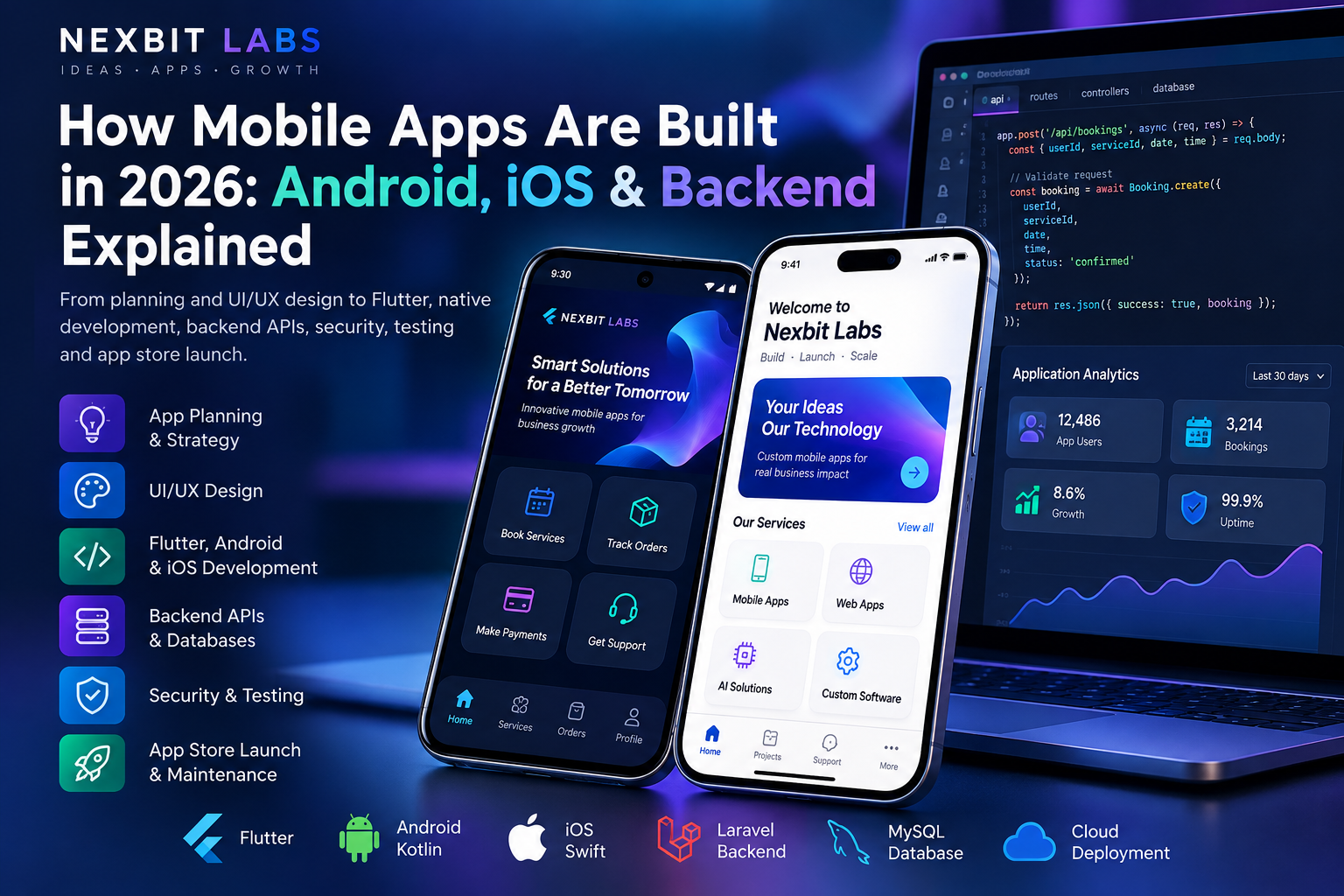
Think about the last mobile application you used. Perhaps you booked an appointment, ordered a product, made a payment, checked a delivery or received a notification.
The entire experience may have taken only a few seconds.
But behind those few taps, several technologies worked together: the mobile application, a secure backend, databases, APIs and sometimes external services.
A successful mobile app is more than an attractive collection of screens. It is a carefully designed digital system.
For businesses planning to build an Android or iOS application in 2026, understanding this technology can help avoid unnecessary expenses, choose the right development approach and create a product that can grow over time.
In this guide, we explore how professional mobile apps are built, which technologies are involved, what happens behind the scenes and what businesses should know before starting development.
1. What Is Mobile App Development?
Mobile app development is the process of designing, building, testing and maintaining applications that run on smartphones and other supported mobile devices.
These applications may help customers access services, employees manage daily operations or businesses deliver entirely new digital products.
Popular types of business applications include:
E-commerce apps: Product browsing, shopping carts, payments, order tracking and customer accounts.
Booking apps: Appointment scheduling, service availability, reservations and automated reminders.
Delivery apps: Orders, driver assignments, maps, shipment updates and customer notifications.
Business management apps: Employee attendance, inventory, tasks, sales reports and approvals.
Educational apps: Courses, learning materials, assessments, student profiles and notifications.
Membership apps: Customer accounts, subscriptions, personalized content and member services.
AI-enabled apps: Guided assistants, smart search, document processing and automated workflows.
The important question is not simply, "Can we build an app?"
It is "What problem will this application solve, and why will people continue using it?"
That question should guide every technical decision.
2. Android, iOS or Both: Which Should You Build First?
One of the earliest decisions is selecting the platforms your application needs to support.
Android App Development
Android applications are designed for devices using Google's Android operating system.
Native Android development commonly uses Kotlin and Android's official development tools.
Android may be a suitable starting platform when the intended users primarily own Android devices or when an organization uses Android-based equipment.
iOS App Development
iOS applications are developed for Apple's iPhone ecosystem.
Native iOS development commonly uses Swift and SwiftUI.
An iOS-first approach may be suitable when the target audience primarily uses iPhones or when the business requires Apple-specific platform features.
Cross-Platform Mobile Development
Cross-platform development allows developers to share a substantial portion of application code between Android and iOS.
Frameworks such as Flutter and React Native make this possible, although platform-specific configuration and development may still be required.
Cross-platform technology can reduce duplicated work, particularly for applications with similar features on both operating systems.
Which approach is best?
There is no universal answer.
The decision should consider the target audience, available budget, expected features, hardware requirements, team expertise and long-term maintenance plans.
A business may also begin with one platform and expand later, provided that future requirements are considered during planning.
3. Flutter vs Native App Development: Understanding the Difference
Flutter has become an established option for building applications that target multiple platforms.
But how does it compare with native Android and iOS development?
Flutter Development
Flutter uses the Dart programming language and provides a framework for creating application interfaces and logic.
One codebase can support Android and iOS, with platform-specific work added where necessary.
Advantages of Flutter include:
Shared application logic across supported platforms.
Consistent interface design.
Reusable components and development tools.
Support for custom layouts and animations.
Integration with backend APIs and native device features.
Flutter can be suitable for booking systems, customer applications, business dashboards, service platforms and many other types of mobile applications.
Native Android and iOS Development
Native development uses technologies designed specifically for each operating system.
Android applications may be developed with Kotlin, while iOS applications may use Swift.
Native development can provide direct access to platform frameworks and may be preferable for certain demanding or specialized requirements.
What About React Native?
React Native is another cross-platform approach, using JavaScript or TypeScript with React concepts to build mobile applications.
It can be a practical option when a development team already has strong React experience or when the project's architecture suits that framework.
The best technology is the one that fits the application, not necessarily the one receiving the most attention online.
At Nexbit Labs, technology selection is based on project requirements rather than automatically recommending a single framework for every application.
4. What Happens Behind a Mobile App? Understanding Backend Technology
This is one of the most important concepts for business owners to understand.
The mobile application installed on a customer's phone is often only the visible part of a larger system.
Consider an appointment-booking application.
A customer opens the app, selects a service, chooses a time slot and confirms a booking.
Behind the scenes, the system may need to perform several operations:
Identify the authenticated customer.
Request current appointment availability from the server.
Check that the selected time slot is still available.
Create the booking and save it in a database.
Update the business administrator's dashboard.
Send confirmation or notification messages.
Return the confirmed booking details to the customer's phone.
These operations are coordinated by backend services and application programming interfaces, commonly called APIs.
What Is an API?
An API is a defined way for one software component to communicate with another.
For example, a mobile app might request a customer's order history from a backend API.
The server verifies the request, retrieves the permitted data and returns a response that the application can display.
What Is a Database?
A database stores organized information such as customer profiles, bookings, orders, transactions and application settings.
Technologies such as MySQL and PostgreSQL are commonly used in business systems.
What Is an Admin Dashboard?
An admin dashboard is a management interface that allows authorized staff to operate and monitor the system.
For example, an online shopping application may need a dashboard where staff can update product information, review orders and manage customer enquiries.
A mobile app, backend, database and admin dashboard can work together as one connected business platform.
This is why two applications that look similarly simple may require very different amounts of development effort.
5. Why Good Mobile App UI/UX Design Matters
UI stands for User Interface. UX stands for User Experience.
The user interface includes buttons, screens, icons, forms, navigation menus and other visible elements.
User experience describes how easily and effectively people can accomplish tasks using the application.
A visually impressive design does not automatically create a good user experience.
Imagine a shopping app where users must navigate through six confusing screens just to complete a simple purchase.
Even if the colours and animations are attractive, the experience may be frustrating.
Principles of effective mobile app design
Simple navigation: Important features should be easy to discover.
Clear actions: Users should understand what happens when they tap a button.
Readable content: Text sizes, spacing and contrast should support comfortable reading.
Useful feedback: Loading states, confirmations and understandable error messages should explain what the app is doing.
Consistent interfaces: Similar controls should behave consistently across the application.
Accessibility: Interfaces should consider screen readers, touch targets and users with different abilities.
Reliable performance: Animations and visual effects should not interfere with the application's primary purpose.
Professional app development typically includes planning user journeys and important screens before implementing complex functionality.
6. Essential Features of a Modern Business Mobile App
Not every application needs every possible feature.
However, businesses often benefit from planning for the following capabilities.
Secure User Accounts
Users may need to register, sign in, recover account access and manage profile information.
Authentication requirements should match the sensitivity of the data and the application's purpose.
Push Notifications
Push notifications can deliver booking reminders, order updates and other relevant information.
Notifications should be useful, respect user preferences and comply with applicable platform permissions.
Payments and Subscriptions
Applications may integrate payment services for eligible transactions.
The appropriate payment method depends on the product, region, transaction type and current app-store rules.
For example, payments for certain digital goods and subscriptions may be subject to platform billing requirements.
Real-Time Information
Booking availability, delivery tracking, order updates and other features may require timely communication with backend services.
Multilingual Support
Businesses serving diverse customers may benefit from providing interfaces in multiple languages.
Language support involves more than translating buttons. Dates, formatting, error messages and navigation should also be considered.
Offline Capabilities
Some applications can preserve selected data or allow limited operations when internet connectivity is unavailable.
Offline functionality requires careful decisions about data synchronization and handling conflicting updates.
Analytics and Reporting
Appropriate analytics can help businesses understand feature usage, identify performance problems and evaluate whether the application achieves its goals.
Privacy and user consent requirements should be considered when collecting data.
The objective is to include features that users genuinely need, rather than creating unnecessary complexity.
7. Mobile App Security: What Businesses Should Know
Security is a fundamental part of developing a reliable mobile application.
An application may handle customer information, account credentials, business records and payment-related transactions.
Security considerations should begin during architecture planning.
Important practices include:
Use HTTPS for communication with backend services.
Apply server-side validation instead of trusting information received from the mobile app.
Protect authentication tokens and other sensitive credentials.
Implement access controls so users can access only authorized information.
Avoid embedding private API keys or server secrets inside the application.
Store sensitive information using appropriate platform security mechanisms.
Maintain software dependencies and monitor known vulnerabilities.
Plan database backups, restoration procedures and incident handling.
Request only the device permissions genuinely required by the application.
A particularly important principle is that sensitive business rules must be enforced by the backend, not simply hidden behind buttons in the mobile interface.
For example, hiding an administrator button from a normal customer does not prevent unauthorized access unless the server also enforces the correct permissions.
No application can promise absolute security, but sound engineering and ongoing maintenance can significantly reduce avoidable risks.
8. How a Mobile App Is Developed: From Idea to Launch
Professional mobile app development is usually organized into several stages.
Stage 1: Discovery and Requirement Planning
The process begins by understanding the business problem.
Who will use the application? What tasks must they complete? Will the application need an admin dashboard, customer accounts, payments or external integrations?
These answers help define the project scope.
Stage 2: Feature Prioritization
The development team separates essential features from enhancements that can be delivered later.
An initial version may include only the capabilities required to test the product's core value.
This approach is often called a Minimum Viable Product (MVP).
Stage 3: UI/UX Design
Designers plan the application's screens, navigation and user journeys.
Wireframes or interactive prototypes may be prepared so important workflows can be reviewed before development.
Stage 4: Technical Architecture
The team decides how the mobile app will communicate with backend services, how data will be stored and which external systems are required.
Important decisions include authentication, API design, database structure, hosting and future expansion.
Stage 5: Development
Developers implement the application screens, business logic, backend services and required integrations.
Features should be tested throughout development rather than only at the end.
Stage 6: Quality Assurance
Testing verifies that the application behaves correctly across relevant devices and scenarios.
Stage 7: App Store Preparation
Android applications may be published through Google Play, while iOS applications may be distributed through Apple's App Store.
Each platform has submission, review and technical requirements that must be satisfied.
Stage 8: Launch and Maintenance
After release, developers may need to correct defects, monitor performance, maintain integrations and update the application as operating systems evolve.
Launching the first version is a milestone, not the end of the product's technical lifecycle.
9. What Testing Is Required Before Publishing an App?
An application that runs correctly on one developer's device is not automatically ready for public release.
Testing should cover practical situations that users may encounter.
For example:
Functional testing: Can users register, log in, complete transactions and perform core tasks?
Device testing: Does the application display and behave properly on supported phones and screen sizes?
Connectivity testing: What happens when the internet becomes slow or temporarily unavailable?
Security testing: Can users access information or actions outside their permissions?
Payment testing: Are successful, failed, cancelled and interrupted payments handled correctly?
Performance testing: Does the app remain responsive during normal use?
Recovery testing: What happens if the application closes unexpectedly or a request times out?
Accessibility testing: Can users with different accessibility needs operate essential features?
Complex applications may also require load testing, integration testing and additional specialized reviews.
Testing protects both the customer experience and the business's operational reliability.
10. How Much Does Mobile App Development Cost in India?
Mobile app development does not have one standard price.
A simple branded information app, a booking application and a multi-vendor marketplace may all look like mobile apps, but their technical requirements are very different.
Development cost depends on several factors.
Number of Platforms
Building for Android only may have a different scope from building for both Android and iOS.
Application Features
Customer accounts, dashboards, live tracking, subscription management, payments and advanced workflows add complexity.
Backend and Administration
Applications that require centralized databases, APIs and management dashboards need additional development and infrastructure.
External Integrations
Payment gateways, messaging services, map providers and AI APIs may involve integration work and recurring third-party charges.
UI/UX Requirements
Customized interfaces, specialized interactions and extensive design requirements affect development effort.
Testing and Publishing
Device testing, app-store preparation, deployment and platform compliance must be included in the project plan.
Ongoing Maintenance
Hosting, updates, monitoring, support and external subscriptions may create recurring costs after launch.
The most useful quotation is one that clearly explains the included features, platforms, delivery milestones, ownership terms and recurring expenses.
At Nexbit Labs, project requirements are reviewed before a personalized quotation is prepared.
11. Should You Build a Mobile App or a Web Application?
A mobile app is not automatically the best solution for every business.
Sometimes, a responsive website or browser-based web application can meet the same business requirement with a simpler deployment approach.
A web application may be sufficient for customer portals, booking administration, reporting dashboards or internal workflows.
A dedicated mobile application may be more suitable when regular smartphone usage, mobile-specific interactions, push notifications or supported device capabilities are important.
In some cases, the best solution is a combination:
A mobile app for customers.
A web dashboard for administrators.
A shared backend and database connecting both.
This architecture can allow customers and staff to interact with the same business information through interfaces designed for their respective needs.
The correct choice should follow the business workflow, not the other way around.
12. A Real Product Example: AstroVedIQ by Nexbit Labs
Understanding an application becomes easier when looking at a real product rather than only theoretical examples.
AstroVedIQ is a digital astrology platform developed by Nexbit Labs.
It brings together a mobile application, user accounts, backend APIs, digital payment functionality and administrative systems.
The application includes astrology-related features such as Kundli, horoscope guidance and compatibility services.
Building a connected product like this involves coordinating the mobile experience with server-side functionality, user data, transactions and administrative workflows.
AstroVedIQ illustrates an important principle:
A mobile product is often an entire technology ecosystem, not simply an app installed on a phone.
Learn more about AstroVedIQ.
13. How Nexbit Labs Approaches Mobile App Development
At Nexbit Labs, our focus is on developing applications around actual business requirements.
A business owner does not need to know programming languages, database architecture or API terminology before discussing an idea.
We begin by understanding what the application should accomplish.
Our mobile app development services can include:
Custom Android and iOS applications.
Cross-platform development using suitable technologies.
UI/UX design and application interfaces.
Customer, employee and business applications.
Secure backend APIs and databases.
Administrative dashboards and management systems.
Booking, e-commerce and workflow functionality.
Payment and third-party integrations.
Optional AI-enabled features and automation.
App testing, deployment preparation and agreed technical support.
Our Nexbit AI Project Assistant can also help organize an initial project idea into a clearer set of requirements for review by our team.
Explore our Mobile App Development Services.
14. Frequently Asked Questions About Mobile App Development
Can one mobile app work on both Android and iPhone?
Yes. Cross-platform frameworks such as Flutter and React Native can support both Android and iOS. The required platform-specific work depends on the application's features and integrations.
Can my mobile app connect to my existing website?
Often, yes. A mobile app can communicate with an existing website's backend or business system if appropriate APIs and integration access are available.
The existing system should be assessed before confirming the approach.
Do I need a separate admin panel?
Not every app requires one. However, businesses that need to manage users, orders, bookings, products or reports may benefit from a secure administrative dashboard.
Can I start with Android and add iOS later?
Yes, in many projects. Planning the architecture with future platform requirements in mind can make expansion easier.
Can AI features be added later?
Potentially. AI-powered assistance, search, document processing and other features can be evaluated for suitable applications.
Privacy, reliability, usage costs and human controls should be considered before integration.
Will my app automatically get users after appearing on Google Play?
No. Publishing makes an approved app available through the relevant distribution channel, but downloads and customer adoption depend on the product's value, visibility, marketing and user experience.
Can the application grow as my business expands?
A well-planned architecture can support future changes, although additional users, new features and increased traffic may require infrastructure or application improvements.
Final Thoughts: Build the Right App, Not Just an App
Developing a mobile application is an investment in a business process, customer experience or new digital product.
The strongest projects begin with a clear problem, a realistic scope and careful technical planning.
Whether you choose Android, iOS, Flutter or native development, the real measure of success is how reliably the application serves its users and supports the business.
A good development partner should help you understand which features are essential, which technologies are appropriate and how the system can be maintained after launch.
Ready to Turn Your Mobile App Idea Into Reality?
Have an idea for a shopping app, booking platform, employee management application, marketplace or something completely new?
Nexbit Labs can help you explore the technical approach and plan the next steps.
You do not need to prepare a detailed technical specification.
Tell us what your business does, who will use the application and what you want it to achieve.
Our team can review your requirements and discuss the features, development approach and quotation.
Explore Mobile App Development
Published by Nexbit Labs — Mobile App Development, Custom Software, Backend Systems & Digital Solutions.