
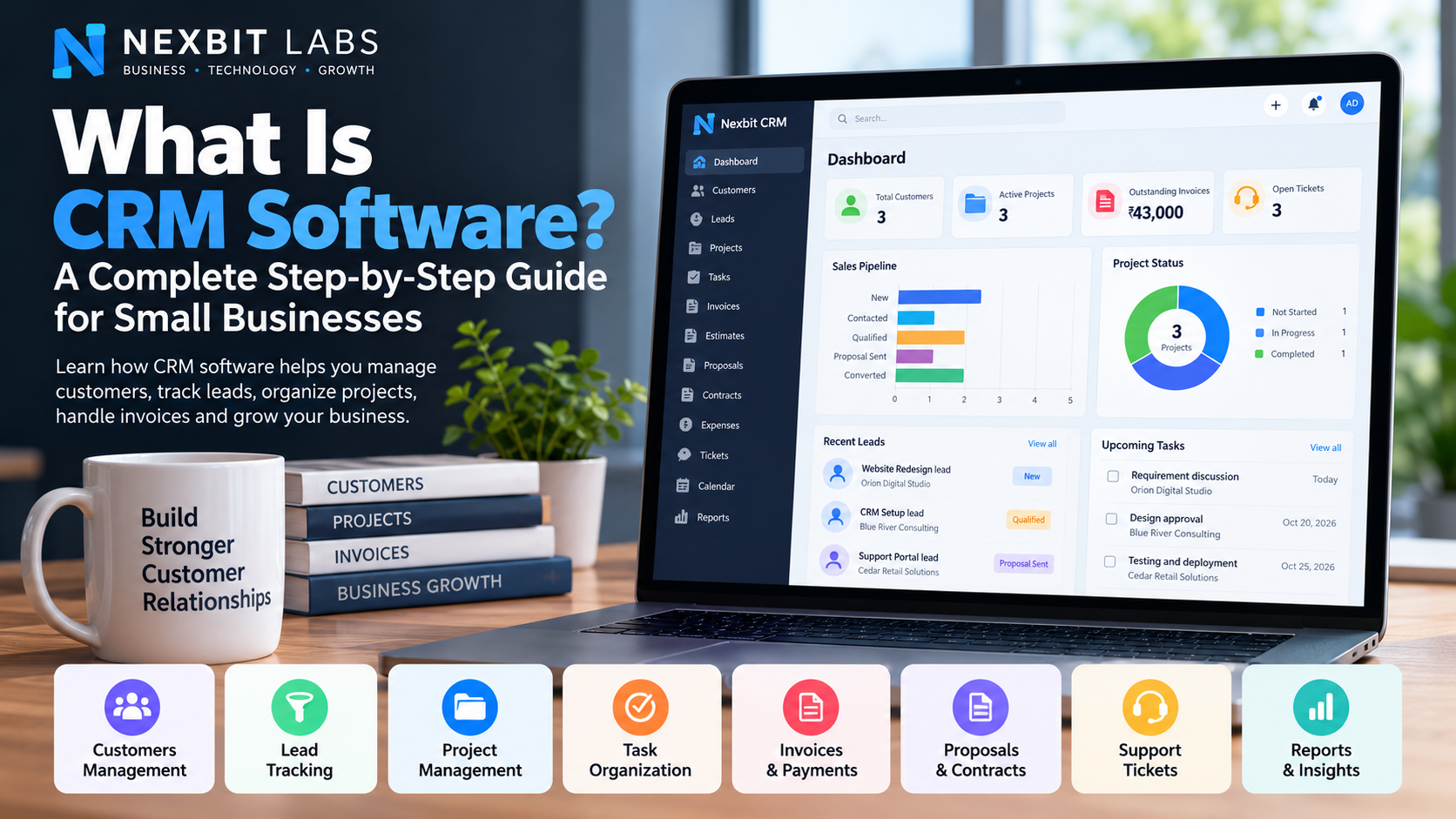
Every business needs customers, but managing those customers becomes more challenging as the business grows. Enquiries arrive through phone calls, emails, websites and messaging apps. Projects need to be delivered, invoices must be followed up, and customer issues require attention.
When this information is scattered across spreadsheets, notebooks, email inboxes and employees' phones, important opportunities can easily be missed.
Customer Relationship Management (CRM) software provides a centralized system for organizing customer information and managing business relationships.
In this guide, we'll explain what CRM software is, how it works, and how to use it step by step to improve everyday business operations.
1. What Is CRM Software?
CRM stands for Customer Relationship Management.
CRM software helps businesses store customer information, track sales opportunities, manage follow-ups and coordinate customer-related work.
Instead of maintaining separate spreadsheets for contacts, sales, projects and invoices, businesses can organize these activities in one system.
For example, imagine a website development company receives an enquiry from a customer who wants an online store.
Without a CRM, the company may record the enquiry in WhatsApp, discuss pricing over email, prepare a quotation in a Word document and track the project in a spreadsheet.
With a CRM, the business can maintain a more organized process:
Record the enquiry as a lead.
Save the customer's contact details.
Track discussions and follow-up activities.
Prepare a proposal or estimate.
Convert the successful opportunity into a customer relationship.
Create a project and assign tasks.
Manage invoices and payments.
Track customer support after delivery.
This creates a clearer record of the customer relationship, from the first enquiry through project completion and ongoing service.
2. Why Do Small Businesses Need CRM Software?
Small businesses sometimes assume that CRM software is only useful for large companies with dedicated sales departments.
In reality, even a small team can benefit from a structured customer management system.
Keep customer information organized
Customer details can include company names, contact information, communication history, project information and billing records.
A CRM makes it easier for authorized employees to find the relevant information without searching through multiple files.
Reduce missed follow-ups
Sales opportunities can be lost when enquiries are forgotten or follow-up responsibilities are unclear.
Tracking leads and their current stages helps the business understand which opportunities still need attention.
Improve teamwork
When work is assigned through a common system, team members can see their responsibilities and project progress according to their permissions.
This reduces unnecessary back-and-forth communication.
Understand business performance
CRM reports can help administrators understand sales activity, customer engagement, outstanding invoices and project workloads.
The objective is not simply to store information. It is to make that information useful for business decisions.
3. How to Set Up a CRM for Your Business
A successful CRM implementation begins with a simple structure.
You do not need to configure every available feature on the first day.
Step 1: Identify the business processes you want to manage
Start by identifying where your business needs better organization.
For example, a software development company may want to track enquiries, proposals, active projects, tasks, invoices and customer support.
A consulting business may prioritize client information, quotations, contracts, appointments and follow-ups.
Choose the modules that support your actual workflow.
Step 2: Configure your company details
Enter your business name and the relevant company and billing information.
Review available regional settings, including currency, date format and timezone.
Correct company information is especially important when preparing customer-facing documents.
Step 3: Organize employee access
Consider which employees require access to customer information, projects, billing or reports.
Administrators generally need broader management permissions, while other team members should receive only the access necessary for their responsibilities.
Never give every employee administrator permissions simply for convenience.
Review access regularly when employees change roles or leave the organization.
Step 4: Add existing customers
Begin with a small number of current customers.
Check that contact information is accurate and avoid creating duplicate customer profiles.
Once the initial records are correct, continue adding the remaining customers systematically.
Step 5: Define your sales and project stages
Decide what each status means.
For example, distinguish between a new enquiry, a qualified opportunity, a proposal that has been sent and an opportunity that has successfully converted.
Consistent statuses help make CRM reports more meaningful.
4. Managing Sales Leads: Step-by-Step Instructions
A lead represents a potential customer or sales opportunity.
Leads may come from website enquiries, referrals, advertising campaigns, telephone calls or other channels.
Step 1: Create a new lead
Open the Leads section and choose the available option to add a lead.
Record useful information such as:
Customer or company name
Contact information
Service or product requested
Enquiry source
Estimated opportunity value
Notes about the customer's requirements
For example:
Lead: Greenfield Retail Store
Requirement: E-commerce website
Estimated value: ₹35,000
Source: Website enquiry
Status: New
Step 2: Contact the potential customer
After contacting the prospect, update the lead record.
Record important discussion points such as the requested features, expected budget and likely decision timeline.
Change the lead status when appropriate.
Step 3: Qualify the opportunity
Not every enquiry will become a customer.
A qualified lead is one where the business has enough information to determine whether the opportunity is realistic.
Consider whether the customer has a genuine requirement, an appropriate budget and a practical timeframe.
Step 4: Prepare a proposal
For a qualified opportunity, prepare a proposal or estimate outlining the requested services.
The proposal should clearly explain the scope of work, expected deliverables, pricing and applicable terms.
Step 5: Update the outcome
When the customer accepts the proposal, update the sales opportunity and follow the CRM's customer-conversion process, where available.
If the opportunity does not proceed, record the appropriate outcome.
Maintaining accurate sales stages helps distinguish genuine opportunities from enquiries that are no longer active.
5. Creating and Managing Customer Records
After acquiring a customer, the CRM becomes a central place for managing the business relationship.
Create a customer profile
Open the Customers section and add the customer or company information.
Use a consistent company name and enter the correct contact and billing details.
Connect related activities
As work progresses, associate the customer's projects, estimates, invoices and support requests with the correct customer record.
This creates a more useful history of the business relationship.
Keep information updated
Customer contact information, billing addresses and responsible contacts may change.
Review records whenever the customer provides updated details.
Avoid duplicate customers
Before adding a new record, search for an existing customer with the same company name or contact information.
Duplicate records can produce confusing reports and separate information that should belong to one customer.
6. Managing Projects and Tasks with CRM
Many businesses need to manage work after a sale is completed.
This is particularly important for website development, software projects, design services, consulting and ongoing maintenance.
Step 1: Create a project
Create a project and associate it with the correct customer.
Enter a clear project name, description, expected start date and target completion date.
For example:
Project: Greenfield E-commerce Website
Customer: Greenfield Retail Store
Start date: 1 November
Target completion: 30 November
Step 2: Break the project into tasks
A large project becomes easier to manage when divided into smaller activities.
For an e-commerce website, tasks might include requirement collection, design, development, product setup, testing and deployment.
Each task should have a clear objective and, where appropriate, a responsible team member and due date.
Step 3: Define milestones
Milestones represent important project checkpoints.
For example, completing the design phase or obtaining customer approval before development begins.
Milestones help the team monitor progress at a higher level.
Step 4: Track task progress
Update tasks as work progresses.
A useful workflow may include statuses such as New, In Progress, Awaiting Feedback and Completed.
Ensure that task status reflects the actual work performed.
Step 5: Review the project regularly
Review overdue tasks, upcoming deadlines and activities waiting for customer feedback.
This helps identify potential delays before they affect the entire project.
7. Managing Estimates, Invoices and Payments
Financial tracking is another important part of business management.
Depending on the CRM's available features, businesses can organize estimates, invoices, payment records and related financial information.
Preparing an estimate
An estimate communicates the proposed price for products or services.
Include a clear description of the work, quantities where applicable, unit prices, taxes and total amount.
For example, a website development estimate could contain:
DescriptionAmountWebsite design₹8,000Development₹15,000Testing and deployment₹2,000Total before applicable taxes₹25,000Review the estimate carefully before sending it to the customer.
Creating an invoice
When an invoice is appropriate, select the correct customer and confirm the billing information.
Add the products or services being charged, applicable taxes, invoice date and due date.
Check that line-item totals agree with the invoice total.
Monitoring invoice statuses
Invoice statuses help identify amounts requiring attention.
For example:
Draft: The invoice is still being prepared.
Due: Payment is outstanding according to the applicable payment terms.
Overdue: The invoice has passed its due date without full payment.
Part Paid: A portion of the invoice has been paid.
Paid: The invoice has been settled.
The meaning and availability of these statuses depend on the CRM configuration.
Recording payments
Record payments only when an actual payment has been confirmed through an appropriate source.
Check the amount, date, customer and invoice before recording the transaction.
Never mark an invoice as paid merely because the customer promises to pay.
Reviewing outstanding balances
Regularly review overdue invoices and follow up professionally.
CRM records can help organize collections, but accurate accounting still depends on proper verification and reconciliation.
For taxation, statutory invoicing and financial compliance, follow the applicable laws and obtain professional accounting guidance where required.
8. Managing Customer Support Requests
Customer service continues after a project or sale is completed.
A CRM support-ticket system helps organize questions, problems and service requests.
Create a support ticket
Record the issue with a clear subject and detailed explanation.
Where appropriate, associate it with the relevant customer or project.
Assign responsibility
Ensure someone is responsible for investigating the request.
If multiple people work on the issue, maintain clear internal communication.
Track the ticket's status
Statuses such as Open, On Hold, Answered and Closed help identify whether an issue still requires attention.
A ticket should be closed only when the appropriate resolution process has been completed.
Preserve useful resolution information
Document how the issue was resolved.
This information can help the team handle similar problems more efficiently in the future.
9. Using CRM Reports to Make Better Decisions
CRM reporting helps turn operational records into useful information.
Administrators should review reports at consistent intervals and pay attention to trends rather than isolated numbers.
Sales performance
Review the number of new enquiries, qualified leads, submitted proposals and successful opportunities.
One useful metric is lead conversion rate:
Lead Conversion Rate = (Converted Leads ÷ Total Leads) × 100
For example, if 20 out of 100 leads convert into customers, the conversion rate is 20%.
This metric is meaningful only when the business consistently defines and records what counts as a conversion.
Project performance
Review the number of active projects, completed projects, overdue tasks and upcoming deadlines.
Look for recurring causes of delays, such as missing requirements or slow approvals.
Financial performance
Examine invoiced amounts, payments recorded, outstanding balances and operating expenses.
Remember that invoice totals do not necessarily represent cash received.
Customer service performance
Review open support tickets, unresolved issues and response patterns.
These indicators help identify areas where service procedures may need improvement.
10. A Practical Daily CRM Routine
A CRM provides the greatest value when information is updated consistently.
Consider using this simple daily workflow.
Morning: Review new leads, overdue tasks, upcoming project deadlines and open support requests.
During the day: Record new enquiries, update customer information and maintain task progress.
After customer discussions: Add important notes and update the relevant sales opportunity.
When billing: Review invoices, confirm payment records and identify outstanding amounts.
End of day: Check unfinished work and decide what requires attention the following business day.
Once a week, review sales opportunities, project progress, financial records and customer support performance.
This routine helps keep the CRM useful rather than allowing it to become an outdated collection of records.
11. Common CRM Mistakes Businesses Should Avoid
Entering incomplete customer information
Missing or inaccurate details make future follow-ups difficult.
Record the essential information at the time of the enquiry.
Leaving leads in the wrong status
If employees never update lead statuses, sales reports become unreliable.
Maintain a clear process for updating opportunities.
Creating projects without assigning responsibilities
Tasks should have clearly defined owners wherever assignment is appropriate.
Unassigned work can easily be overlooked.
Recording inaccurate financial information
Incorrect invoices, duplicate payments and outdated balances reduce confidence in reports.
Always verify financial records.
Giving excessive user permissions
Protect customer and financial information by limiting access to authorized employees.
Expecting software to fix every process automatically
A CRM supports business processes, but employees must still maintain accurate records and follow agreed procedures.
12. Choosing the Right CRM for a Small Business
When evaluating CRM software, focus on features that address your actual business needs.
Important considerations include ease of use, customer management, sales tracking, project coordination, billing, support, permissions and reporting.
You should also examine subscription costs, available user seats, data security, support options and the ability to adapt as your business grows.
Avoid choosing a CRM solely because it has the longest feature list.
A system that employees understand and consistently use is generally more valuable than a complicated platform with features that remain unused.
13. Introducing Nexbit CRM
Nexbit CRM is a business management and customer relationship platform from Nexbit Labs.
It brings together key business workflows such as customer management, lead tracking, projects, tasks, estimates, invoices, payments, proposals, contracts and support management.
For businesses managing multiple customers and projects, a centralized CRM can provide greater visibility into day-to-day operations.
Nexbit CRM is designed around separate customer workspaces, with user access and available functionality governed by the applicable account configuration and permissions.
Businesses can review the available subscription options and explore whether the platform fits their requirements.
Explore Nexbit CRM: https://crm.nexbitlabs.store
Final Thoughts
CRM software is not simply a place to save customer phone numbers.
When implemented properly, it becomes an important part of how a business manages enquiries, builds customer relationships, organizes work and monitors performance.
Start with the basics: maintain accurate customer records, update leads consistently, assign tasks clearly and review financial information regularly.
As your business grows, these habits can make operations more organized, measurable and easier to manage.
The best CRM is the one that supports your real business processes and helps your team work more effectively every day.